Installing
Build and run
make build      # builds the frontend, then the binary into bin/arca
./bin/arca
Open http://localhost:8080 and complete the setup wizard. Its first field is the setup token, which the server prints to its log when it starts on an empty database:
WARN this instance is not set up yet; the setup wizard requires this token: Zk3v…
The token is what stops whoever reaches the address first from becoming the administrator, so the
instance can be exposed before setup has run. Set SETUP_TOKEN to choose it yourself, which an
automated install wants. Once setup has completed the wizard is gone and the token is forgotten.
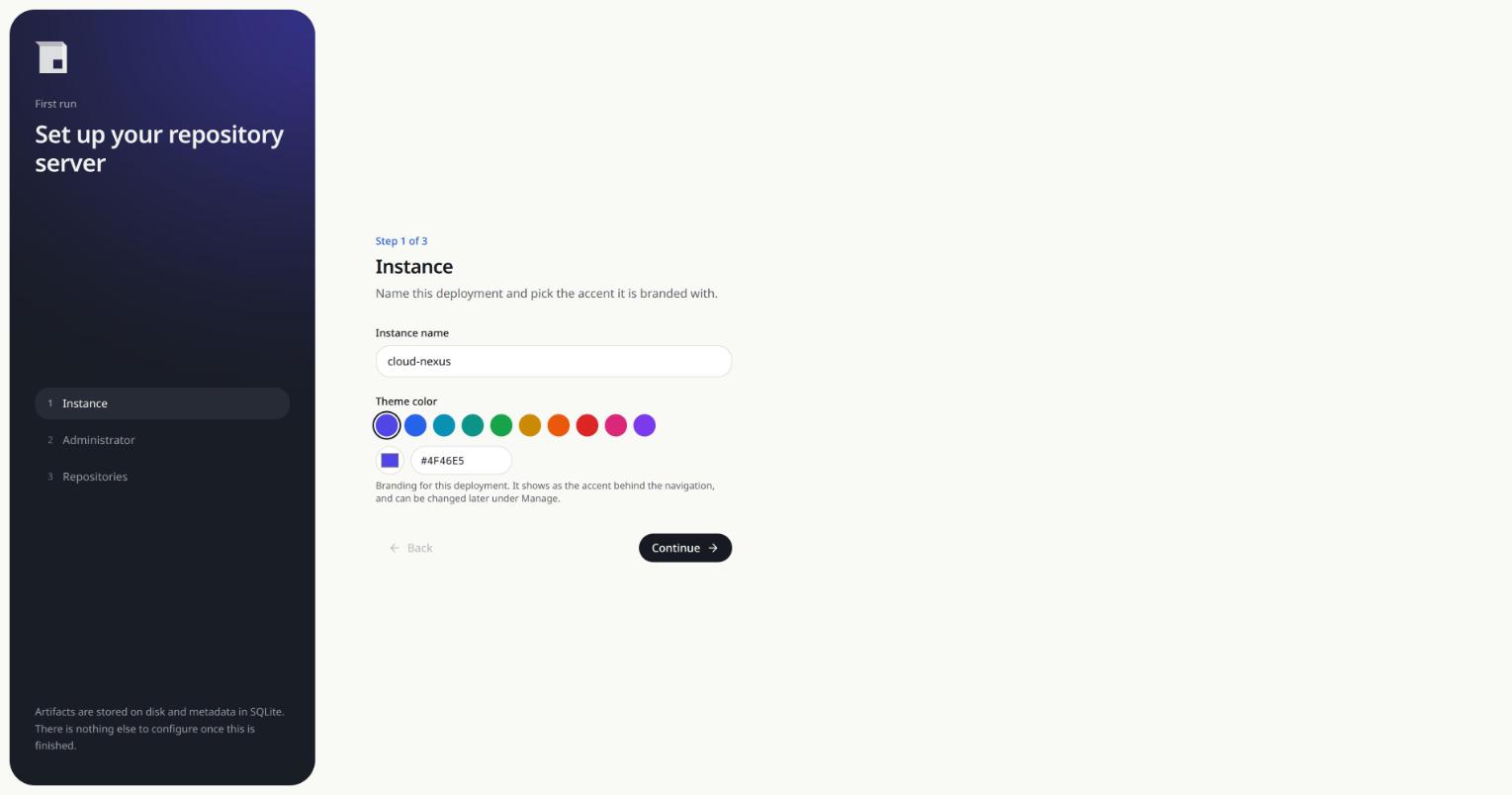
The wizard creates the administrator account, names the instance, picks the accent colour it is
branded with, and optionally creates maven-releases, maven-snapshots and npm-hosted to start
from. The schema is applied on startup, so there is no separate migration step.
Configuration
Every flag has an environment variable, so the binary is equally happy under systemd or in a container.
| Flag | Environment | Default | Purpose |
|---|---|---|---|
--port |
PORT |
8080 |
port to listen on |
--db |
DATABASE_PATH |
./data/arca.db |
SQLite database file |
--storage |
STORAGE_DIR |
./data/storage |
directory holding uploaded artifacts |
--max-upload |
MAX_UPLOAD_BYTES |
256 MiB | largest artifact accepted |
--proxy-timeout |
PROXY_TIMEOUT_SECONDS |
60 |
how long a proxy waits for its upstream |
--base-url |
BASE_URL |
derived per request | public URL of this server, such as https://artifacts.example.com |
--setup-token |
SETUP_TOKEN |
generated and logged | token the first-run wizard asks for |
--dev |
DEV_MODE |
false |
proxy the UI to a vite dev server |
--vite-url |
VITE_URL |
http://localhost:5173 |
vite dev server to proxy |
Everything else is configured through the UI and stored in the database.
What lives where
Two paths hold all the state, and neither is touched by an upgrade:
--storageholds the artifact bytes, laid out by repository and coordinates.--dbholds the SQLite database, and next to it the-waland-shmfiles SQLite manages.
Backing up an instance means copying those two. Stop the process first, or use sqlite3 .backup so
the database is copied consistently.
Developing
make dev        # vite on :5173, which starts the Go server on :8080 in dev mode
make test       # go tests plus a frontend typecheck
make dev runs vite, and vite spawns go run ./cmd/arca --dev. Vite proxies /api and
/repository to the Go server, and the Go server proxies everything else back to vite, so either
port serves a working app with hot reload.
In production the same routes come from one process: the frontend package embeds dist with
go:embed and falls back to index.html for client side routes.